AI Chat Exporter - Import AI Chat Conversations to Obsidian
I personally don’t like leaving chat history on AI interfaces. First, there’s always a privacy concern. Second, my entire core workflow revolves around Obsidian, and I prefer to archive filtered content.
I searched the Chrome Web Store and found that extensions for exporting chat content actually charge money. This feature isn’t that complex - with AI, I built an extension in just one hour. Open Source, also available on Chrome Web Store.
Usage is simple. After installing the extension, it jumps to the settings page as shown:
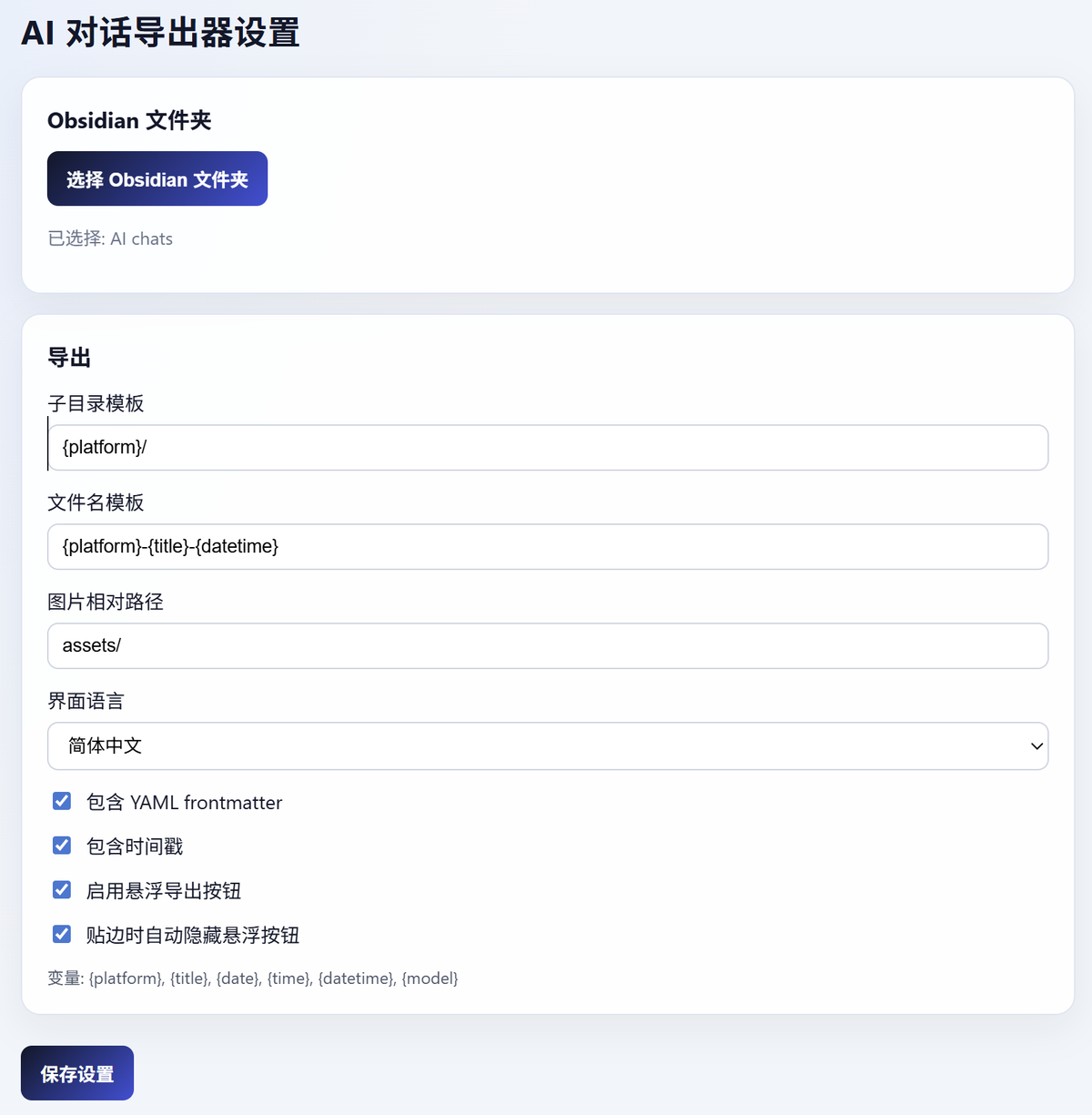
You need to select your local Obsidian folder, choose subdirectory template and filename format (defaults recommended). Currently supports ChatGPT and Gemini, with more platforms coming. All downloaded images are organized in the selected relative path for easy note references. All chat data supports Metadata export, including model, URL, conversation count, etc. Exported conversations show role and timestamp, which can be toggled in settings if not needed.
Download methods include clicking the icon, floating button, and right-click context menu.
This extension is perfect for those who want to preserve chat history, organize AI thinking processes, or use conversations as writing material. If you frequently have deep discussions with AI and want to build your own knowledge system, this structured export will save you a lot of time.
I believe Obsidian is the best note-taking app for the AI era. It can easily integrate with AI to build your local knowledge base. By creating skills, you can use it for personal management, project management, blog content management, etc. For example, I now use skills to distribute blog posts to multiple platforms with one click - I’ll share more about this later.